"Ask to follow" decides whether falatu asks for the follow before sending the link. You set the default in Settings → Automation defaults and can change it for each automation (editor → Ask to follow).
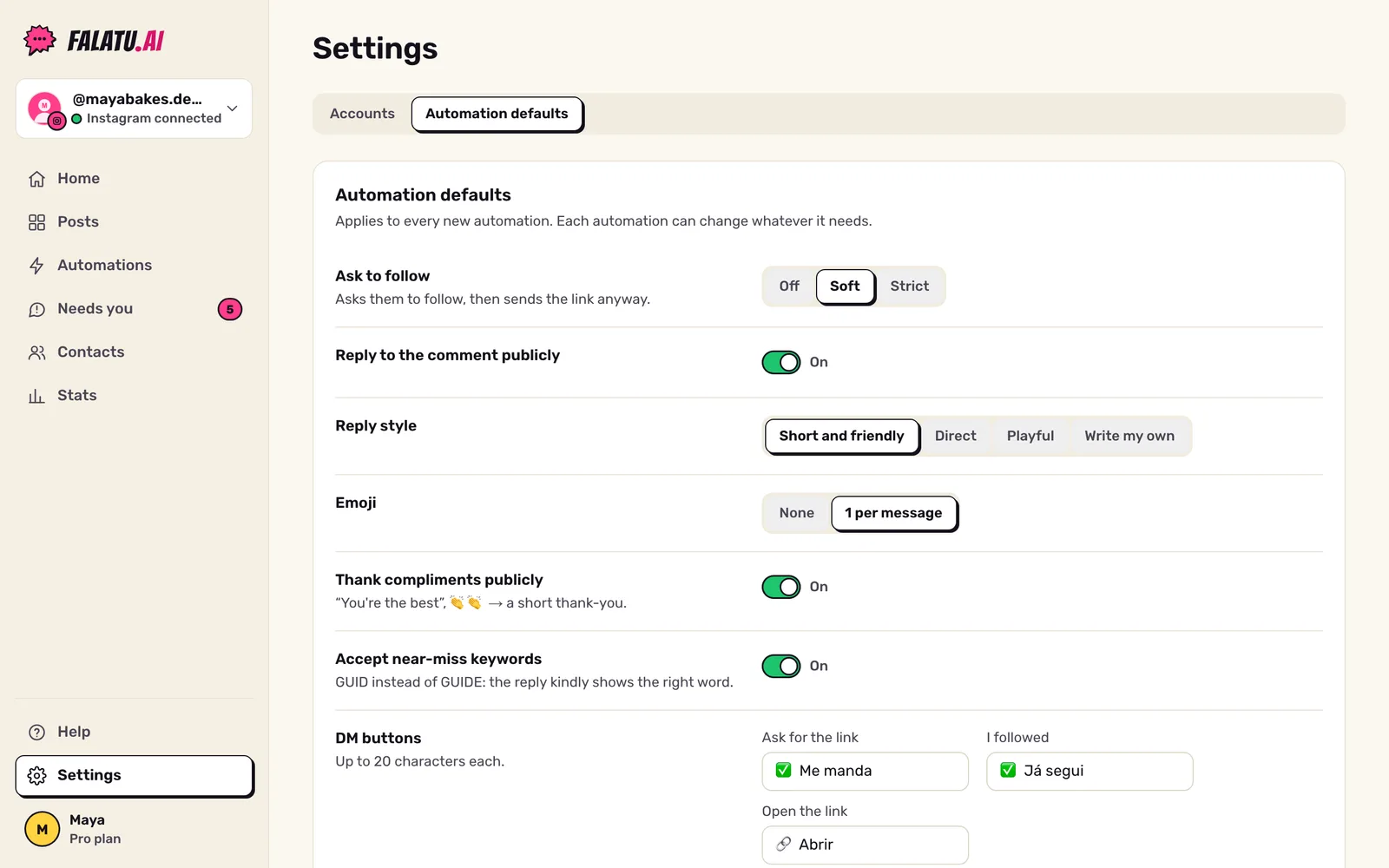
The three options
| What happens | Who it's for | |
|---|---|---|
| Off | Sends the link straight to everyone. | People who want to deliver as much as possible, no friction. |
| Soft (default) | Asks for a tap on the button, sends the link and reminds them to follow in the same message. Everyone gets it. | The sweet spot: you gain followers without losing deliveries. |
| Strict | Only sends the link to followers. Non-followers get asked to follow and tap again. | People using the freebie as bait to grow. |
How the conversation goes
With Soft or Strict, the first DM doesn't carry the link: it asks for a tap on the ✅ Me manda button. That tap opens the conversation, which lets falatu check whether the person follows you and send the rest. See the whole conversation in What people get.
On Strict, non-followers get "This guide is for followers 😉" with the ✅ Já segui button. If they tap it and still don't follow, they get one last reminder. After that, falatu goes quiet: it never pushes harder than that.
What Strict costs
Making the follow a condition costs deliveries. On the account we use for testing, with thousands of comments, only 1.4% of the people who were asked to follow came back, followed and got the link. That's why every new account defaults to Soft: people get what they asked for and see the invite to follow.
Texts
In editor → Ask to follow → Follow request texts you can change every message: the request, the reminder, the last reminder, the text that goes with the link and the "thanks for following". Leave one blank to use the default text.