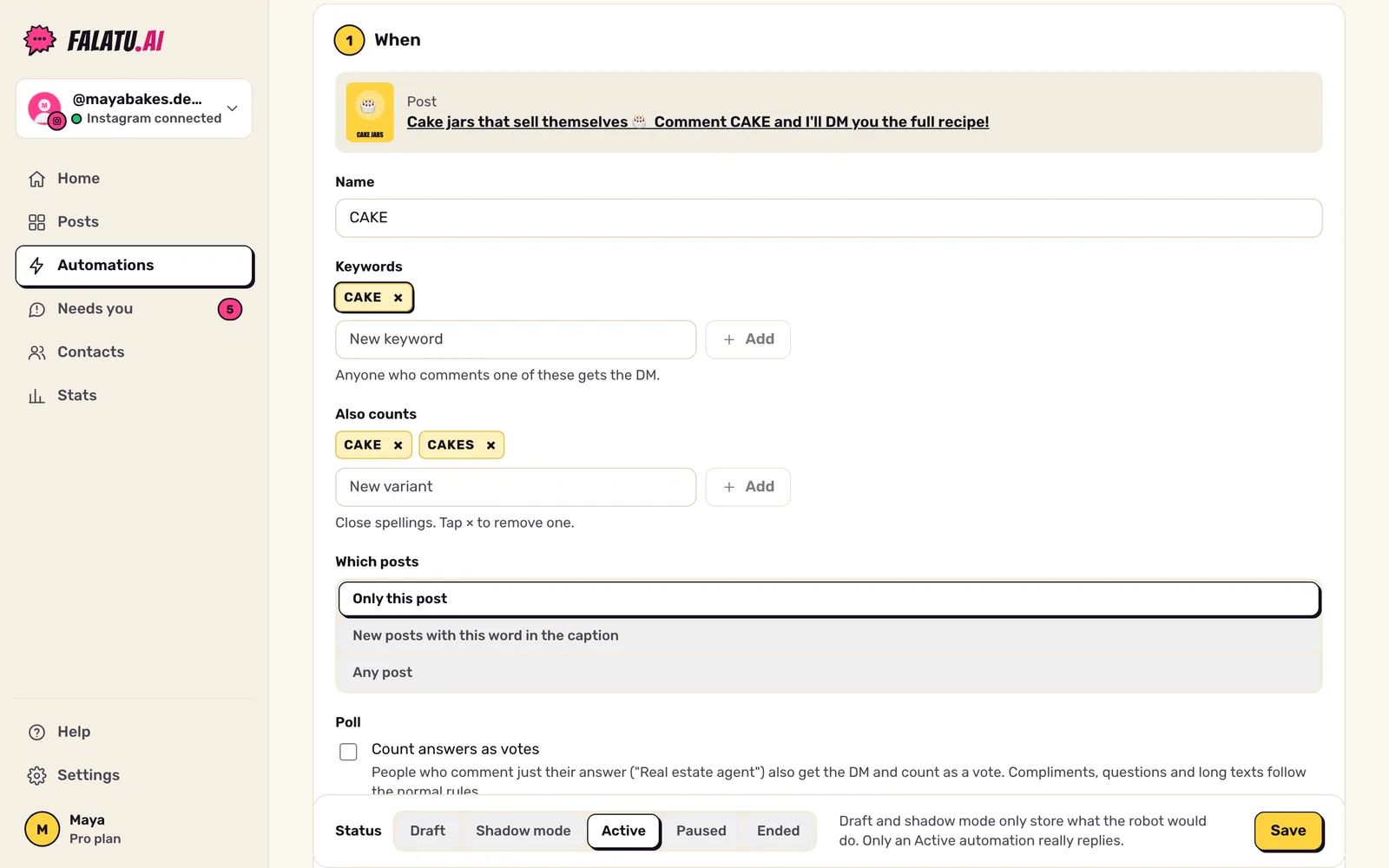
The keyword is what people comment to get the link. You pick one (or more) in Automations → editor → When.
Capitals, accents, whatever
falatu ignores capitals, accents and @mentions. For an automation with CINEMA, cinema, Cinema, CINEMA!! and @friend cinema all count.
Also counts: the variants
When the word is detected, falatu suggests close ways of writing it: plural, no accents and, in Portuguese, verb forms. For ACHA, for example: acha, achas, ache, acho, achei, achou, achar. They show up as chips under Also counts. Tap the × to remove one, or add your own.
What counts as asking
A comment counts as asking for the link when it's short and has the word (or a variant), or when it asks for the stuff with a verb ("send the guide", "I want the link"). Examples:
| Comment | What happens |
|---|---|
guide | A request: replies and sends the DM. |
I want the guide 🙏 | A request. |
send me the link | A request, even without the word (see "Near-miss words" below). |
love it! 👏👏 | A compliment: a short public thank-you, no DM. |
does this work for beginners? | A question: goes to Needs you. |
didn't get anything | A complaint: goes to Needs you (or a resend, if it's a "didn't arrive"). |
| A long message with the word somewhere in it | Goes to Needs you. A long message is a conversation, not a request. |
| A comment with a link | Ignored (it's almost always spam). |
Near-miss words
If someone almost writes the word (skiils instead of skills, GUID instead of GUIDE) or asks for the stuff without the word, falatu sends the DM anyway and kindly replies with the right word: "the word was GUIDE, but I sent it 📩".
This is on by default in Settings → Automation defaults → Accept near-miss keywords. When it's off, those comments go to Needs you.
Which posts it applies to
Still in When, you choose:
- Only this post (the usual);
- New posts with this word in the caption: the same automation covers your next posts that ask for this word;
- Any post.
Same person commenting again
Each person gets the DM once per automation. If they comment again, they only get a public reply ("already sent 📩"). To send it every single time, turn on Send again if the same person comments again under After.