"Comment your niche and I'll make a guide for the most voted one." With Poll on, every comment like that counts as a vote, the person still gets the DM and you see the ranking on the post.
Turning it on
In the editor, under When → Poll:
- Turn on Count answers as votes.
- In What people vote on, write the topic (e.g. niche). It shows up in the ranking's title.
- Optional: write the public replies for votes, one per line.
{vote}becomes the person's answer. Leave it blank and falatu uses its own.
What counts as a vote
- Whatever comes after the keyword:
NICHE doctor→ doctor. - A short answer on its own (up to 3 words), no fluff:
Real estate agent→ Real estate agent, orrealtor, congrats!!→ realtor.
Compliments, questions, complaints, links and tagged friends are not votes: they follow the normal rules.
Each person gets one vote, the latest one. If someone changes their mind, the vote switches, and since they already got the DM, they only get a public reply saying their vote was changed.
The ranking
On the post's page you'll see the Poll card with the top 20. Matching answers count together, ignoring accents and case: Café, cafe and CAFÉ are the same vote.
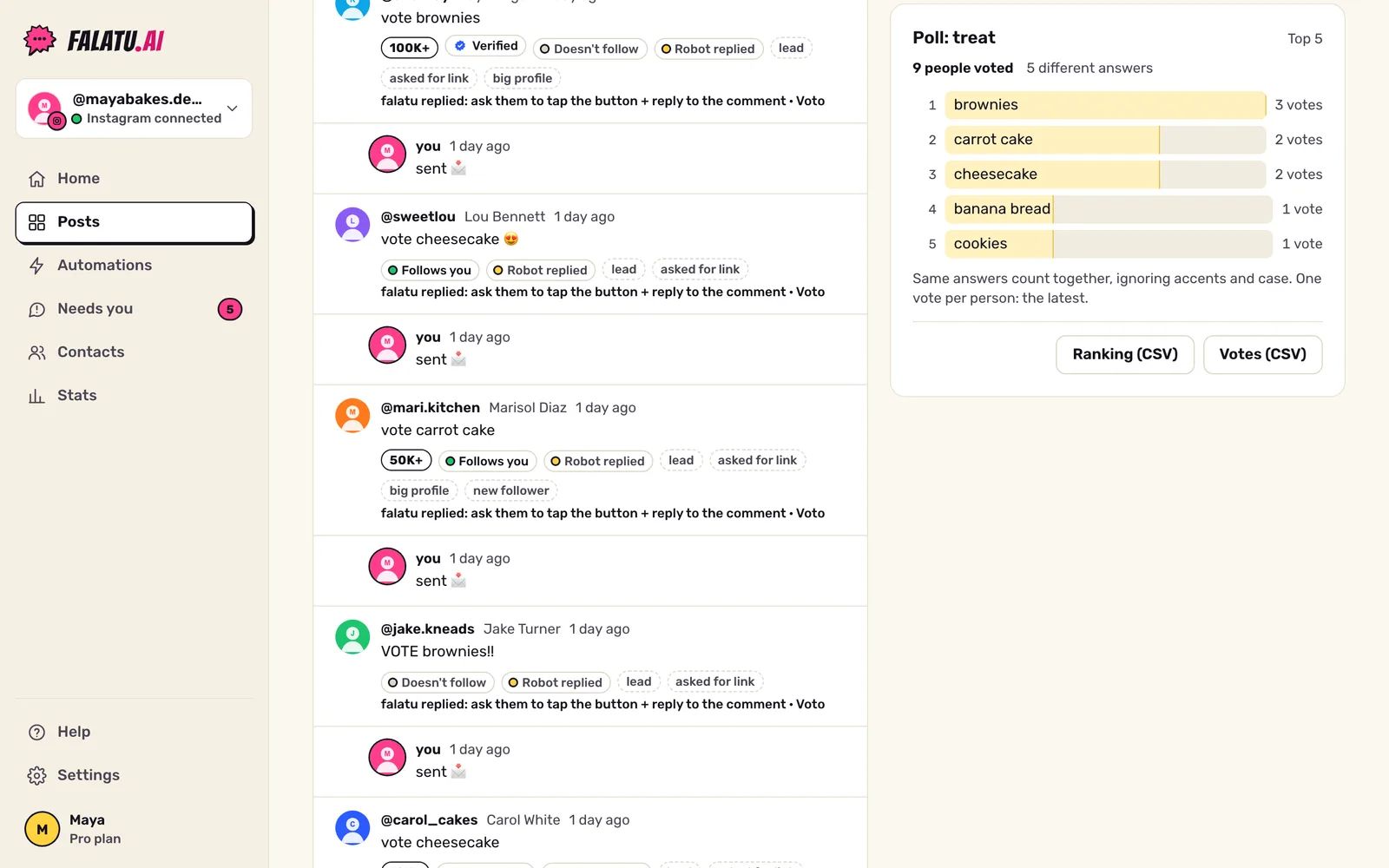
Only votes from Active automations count (in shadow mode nothing is stored).
Export
Two buttons on the card:
- Ranking (CSV): position, answer, votes and percentage.
- Votes (CSV): every vote, with the person's handle, what they wrote, the normalized answer and when they voted.
Opens in Excel, Google Sheets or Numbers.
If you turn the poll off later, the votes already in stay saved.