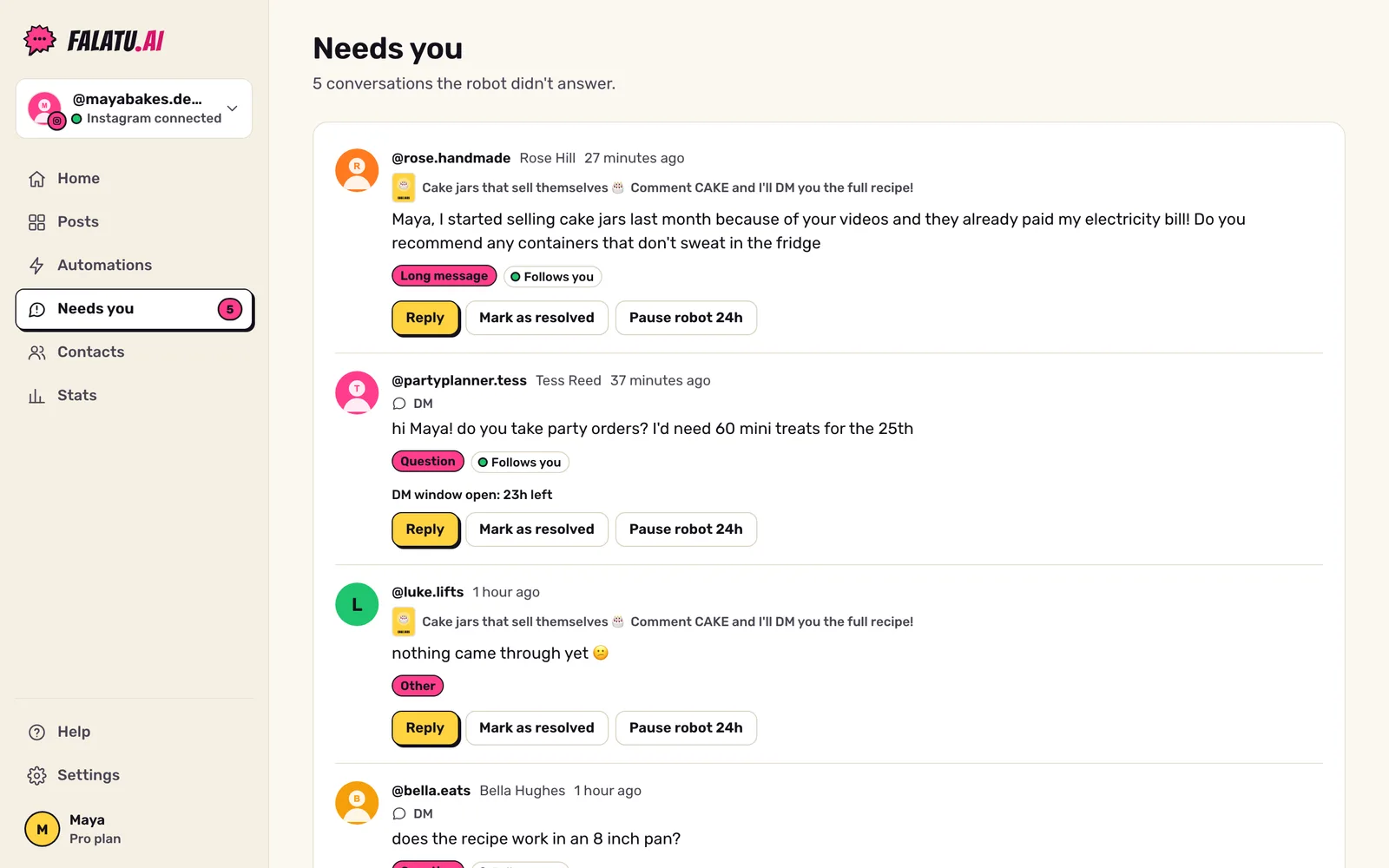
The robot answers people who ask for the link. Everything else, the real conversations, goes to Needs you. The number in the menu shows how many are waiting.
What lands here
Each item shows the reason:
| Reason | Example |
|---|---|
| Question | "is this good for beginners?" |
| Complaint | "didn't get anything", "the link is broken" |
| Help request | "can you help me choose?" |
| Long message | A comment or DM longer than 15 words. |
| Other | Photos, voice messages, story replies and anything that doesn't fit. |
For now the reasons are recognised best in Portuguese. An English or Spanish complaint still lands here, but it may be labelled Other instead of Complaint.
You'll see items from the last 30 days that nobody has replied to or marked as resolved. Automatic messages from other businesses are ignored.
New reels with no link also show up at the top (when New posts is set to Turn on automatically): tap Paste link to turn them on.
Reply right from there
Tap Reply:
- By DM, if the person messaged you in the last 24 hours. The app shows how much time is left ("DM window open: 5h left").
- Public reply to their comment, once the 24h window has closed.
Once you reply, the item leaves the list and the robot is paused for that person for 24 hours, so it doesn't butt into your conversation.
Suggest a reply
Suggest a reply writes a draft in your tone, based on your latest replies. It's just a draft: nothing goes out without your click. Read it, tweak it, send it.
The suggestion uses AI (Claude, by Anthropic) only when you tap the button. See Privacy.
Other actions
- Mark as resolved: removes it from the list without replying (say you already answered from your phone).
- Pause robot 24h: falatu ignores that person for 24 hours, in every automation. Tap again to resume.
Replying, resolving and pausing are for the account owner or an admin.