Some agents can't open a login window: Claude Code in the terminal, scripts and assistants running on their own on a computer. For them there's the personal token, a long password just for the agent.
Create a token
- Open Settings → Agents and MCP.
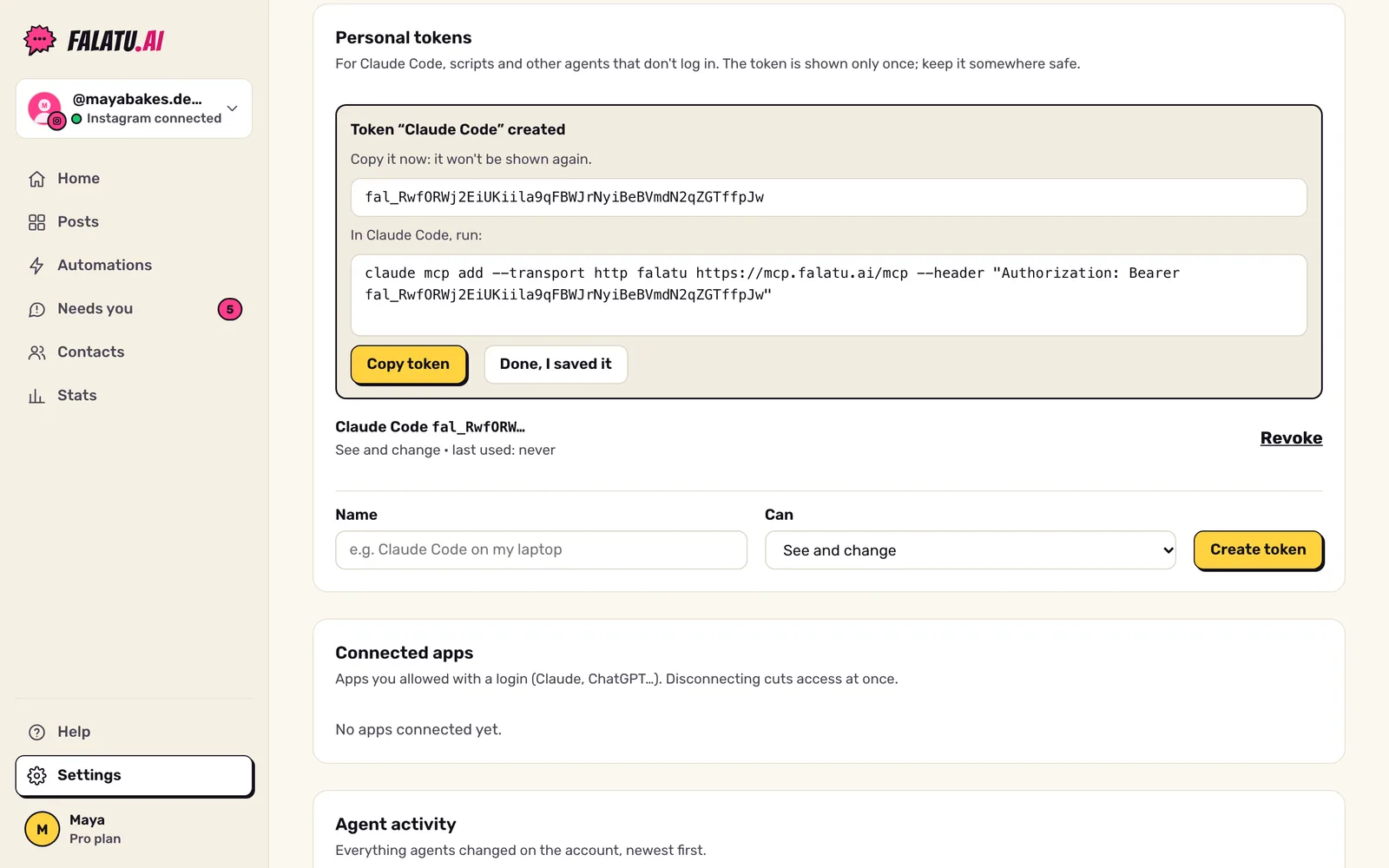
- Under Personal tokens, give it a Name that says where it will live (e.g. "Claude Code on my laptop").
- Under Can, choose:
- See only: the agent reads posts, automations, numbers and Needs you;
- See and change: it can also create, edit, turn on and pause automations. Only owners and admins can create this one.
- Click Create token.
Use it in Claude Code
In the terminal, run (with your token instead of fal_…):
claude mcp add --transport http falatu https://mcp.falatu.ai/mcp --header "Authorization: Bearer fal_…"The token-created screen already shows this command with your token. Then open Claude Code and ask, for example, "list my falatu automations".
Use it in other agents
Any agent that speaks MCP over HTTP works with:
- Address:
https://mcp.falatu.ai/mcp - Header:
Authorization: Bearer fal_…
Revoke
Lost the token or don't use it anymore? Under Personal tokens, click Revoke. It stops working at once. The list shows when each token was last used.
Members see and revoke their own tokens; owners and admins see and revoke everyone's on the account.